Olive — AI-Powered Idea Management Workflow
An AI-assisted triage system that transforms raw, unstructured notes and screenshots into structured concepts, validated action items, and clear product decisions.
1.The Working Artifact
A private, self-initiated workflow built to systematically organize and triage my own product and content ideas. The stack consists of Claude Code, Python, Supabase, and Lovable. Because the live system processes proprietary business ideas, this page outlines the system design, UI metrics, and production pipeline through working screenshots.
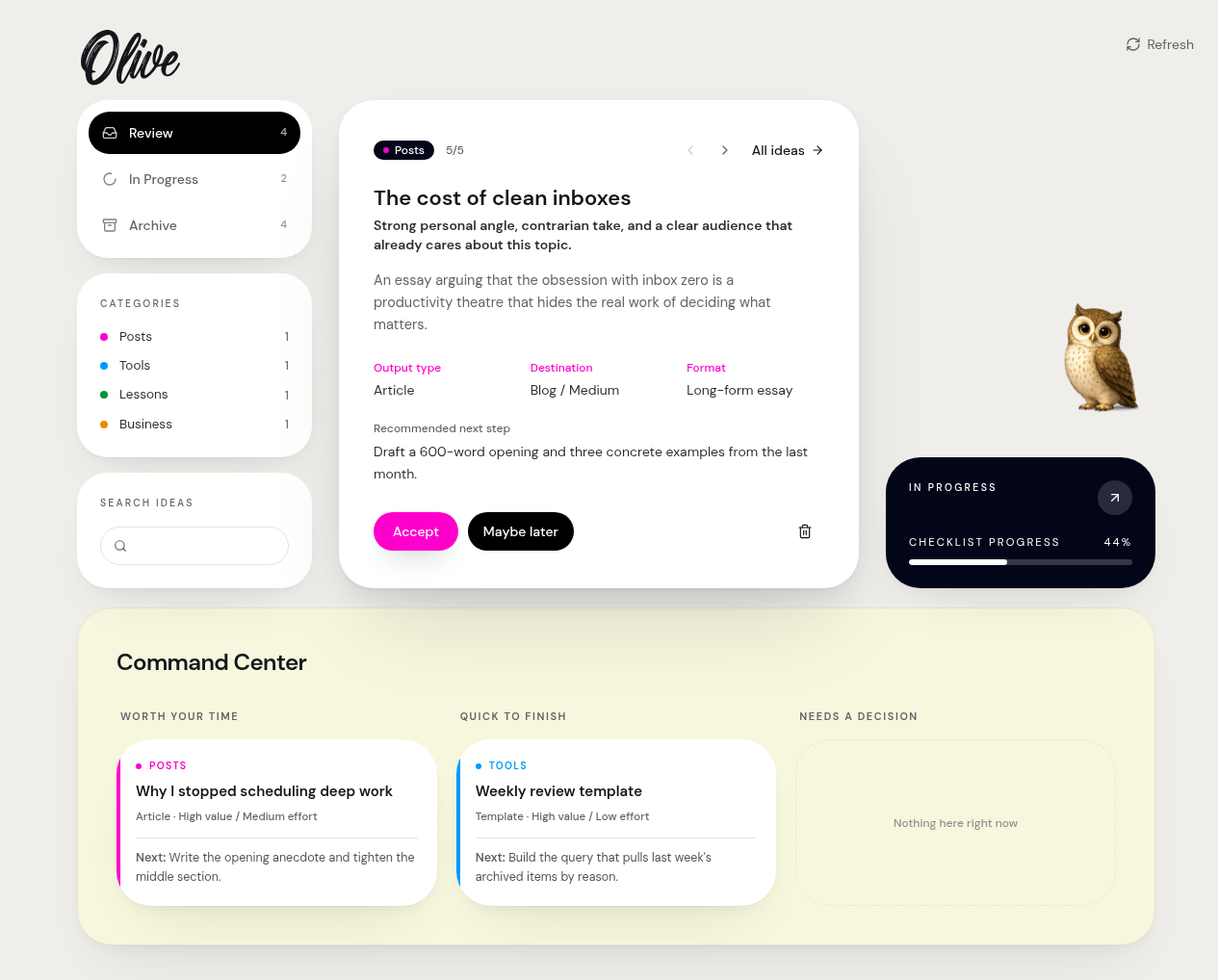
Olive review interface: A working product view for searching, reviewing, and prioritizing ideas.
2.The Workflow Automated & Problem Solved
Olive solves the chaotic overhead of capturing and refining early-stage thoughts by turning messy, unstructured inputs into structured, actionable concepts.
The background automation layer ingests raw notes or clustered screenshots from an Inbox and instantly extracts the core angle, destination, format, and recommended next steps. It then routes these ideas into a unified dashboard featuring a localized LLM Conversational Avatar (Olive) for real-time brainstorming, alongside an automated Command Center that periodically prioritizes the backlog based on a Value/Effort matrix.

Early Usage Signal (First 2 Weeks of Production):
Captured and structured automatically upon ingestion.
Directly converted into a LinkedIn post, a Medium article, and a new product core.
Early validation that the workflow drives ideas from backlog to execution rather than just archiving them.
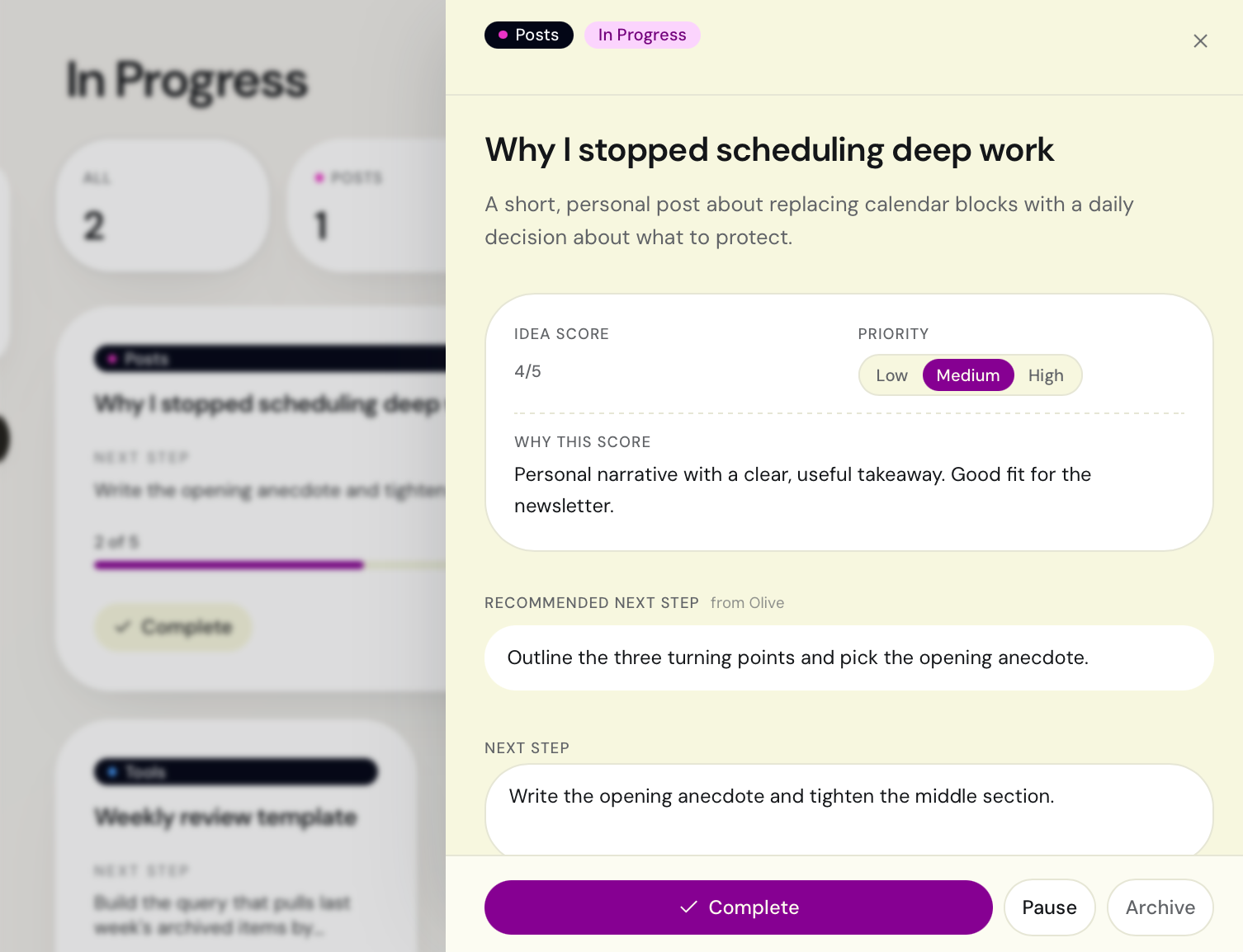
When an idea moves to "In Progress," Olive evaluates its potential by giving it a dynamic Idea Score with clear reasoning. It then automatically breaks down the vague recommendation into an interactive Checklist. Checking off tasks updates the progress tracker in real time, turning an abstract AI suggestion into a concrete, trackable workflow.
3.Core Cost & Latency Tradeoffs
To transition this from a fragile AI demo into a highly predictable, daily tool, I engineered three specific architectural tradeoffs:
- Hybrid Control (AI Reasoning vs. Deterministic Logic): LLM capabilities are strictly confined to semantic interpretation, context-building, and generating task checklists. All core application state transitions (routing, statuses, checklist progress tracking, and archive actions) are 100% rule-based. This prevents prompt drifting, ensures absolute structural predictability, and eliminates unnecessary API evaluation costs.
- Asynchronous Interface Isolation: To maintain a zero-latency frontend experience, heavy processing operations (file analysis, evaluation scoring, and task breakdown) are executed asynchronously on a Python backend. Generation outputs are saved locally first, then pushed to Supabase via a background sync script (
supabase_sync.py), keeping the UI fast and responsive instead of blocking on real-time model calls. - Context Engineering & Asset Bundling: To optimize token consumption and prevent API cost spikes, the orchestration script (
process_inbox.py) automatically bundles related multi-file inputs (e.g., three consecutive screenshots dropped into the folder together) into a single, comprehensive prompt context instead of treating them as isolated, expensive processing runs.
- Inbox/
- process_inbox.py
- prompt_config.json
- chatgpt_fetcher.py
- Outputs/
- Concepts/
- Drafts/
- Maybe Later/
- Processed/
- Logs/
- supabase_sync.py
- gmail_sender.py
- README.md
- requirements.txt
- setup.sh
Backend data pipeline: Local ingestion, decoupled prompt configuration, and database synchronization scripts.
4.Product Evolution & Iteration
- The First Failure Mode: The early prototype suffered from over-classification—it was too aggressive and dismissed vague ideas before gathering sufficient context.
- The Fix: I modified the prompt layer to bundle inputs, added safety checks for duplication, and strictly decoupled rejection from the AI—treating it as a human-reviewed decision rather than an automated execution. This shifted Olive from a basic text sorter into a reliable product decision layer.
- Next Iteration: Dynamically routing simpler ingestion tasks to smaller, cost-effective models (e.g., Haiku/Flash) and reserving heavy model reasoning exclusively for complex content-bundling runs.
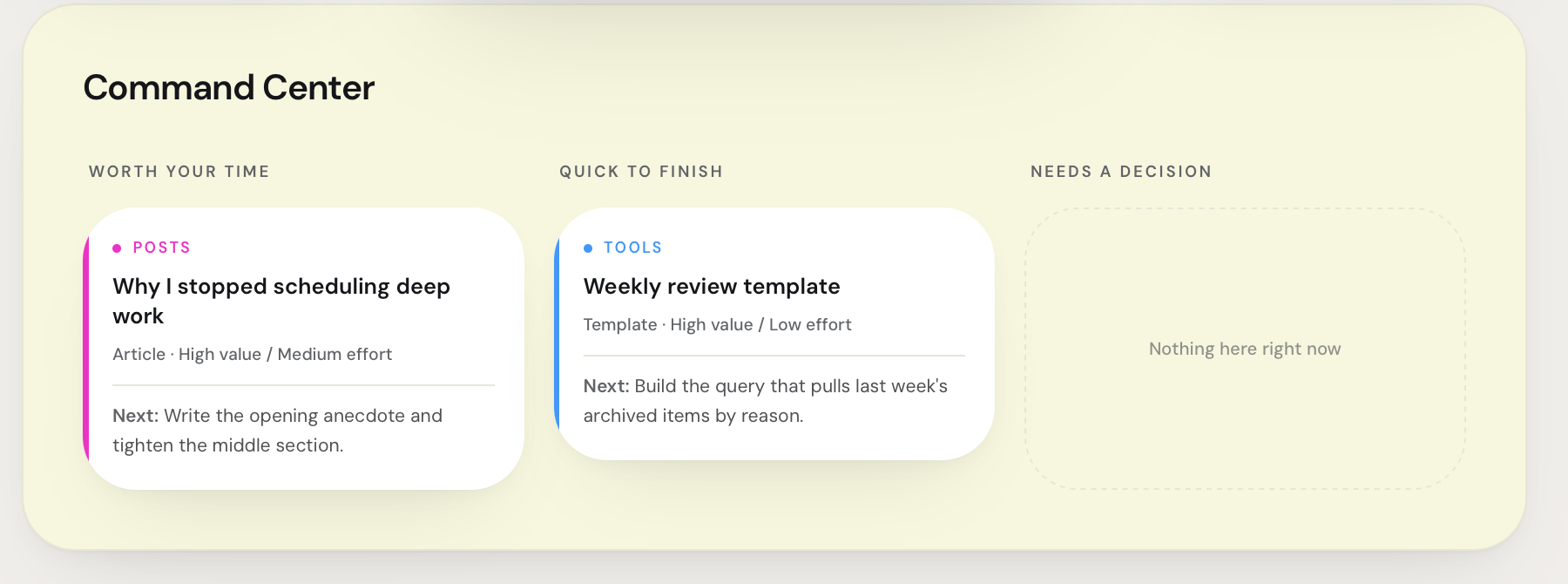
Command Center: Automated triage that re-prioritizes the backlog by Value/Effort each cycle.